Galpi
Chat
Start a chat, attach files, pick a mode, follow how the answer was made, share it and take new commits.
A new chat
New chat opens an empty page with the input. The chat is created when you send the first question; nothing is made before that.
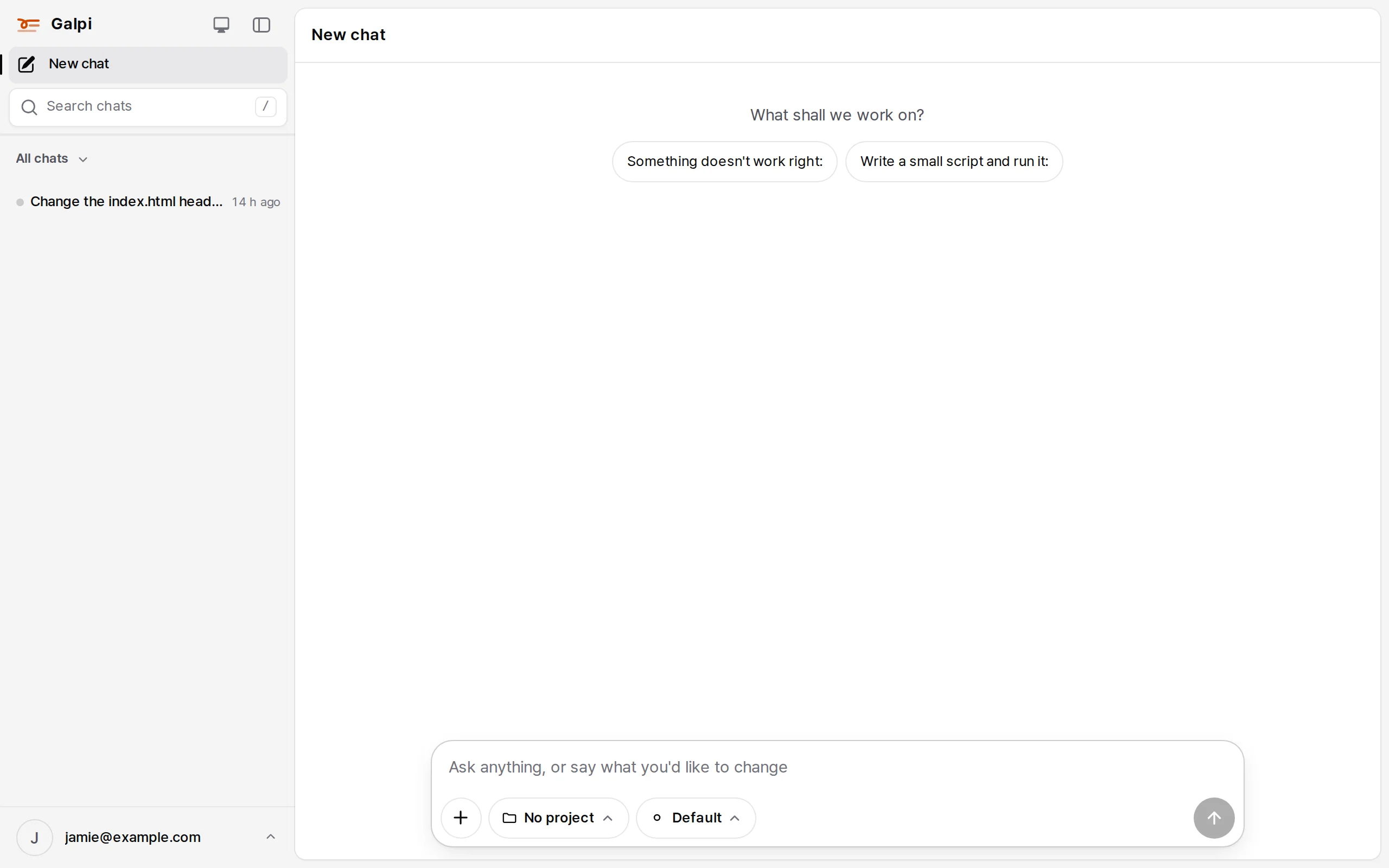
Three choices sit under the input.
| Button | What it does |
|---|---|
| + | Attach files and images. You can draw on an image before sending it (image notes) |
| Project | The project and repositories this chat checks out. No project works from files and conversation without a repository |
| Mode | The model tier. Fast, Smart and Deep when the server has per-tier models (MODE_FAST_MODEL …), otherwise a single default |
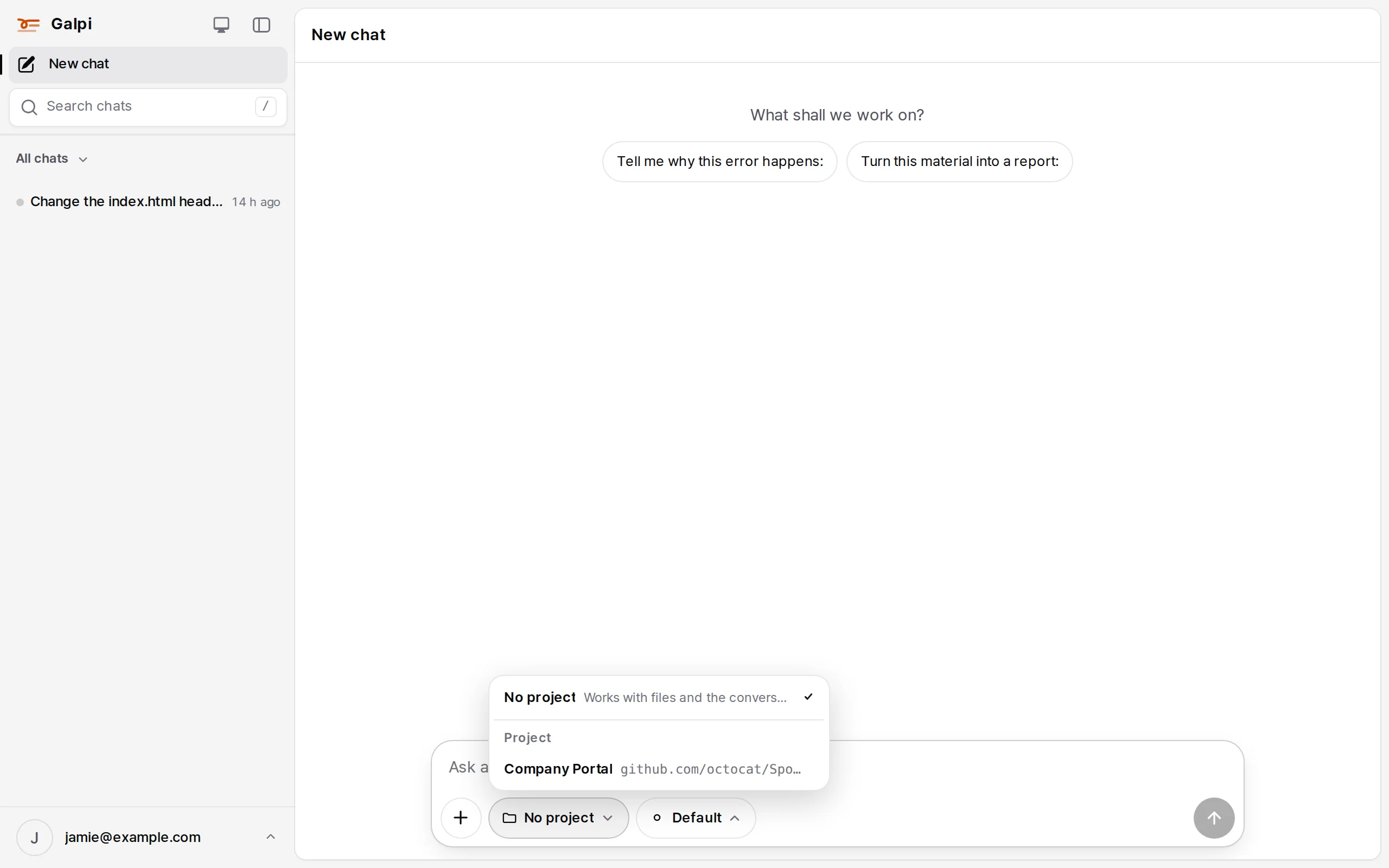
When the system administrator allows starting chats without a project (on by default), a new chat starts as "No project". External users (guests) always pick a project.
While it answers
The agent works in the chat's workspace (its VM). The line above the answer ("Ran 4 commands, read index.html, edited index.html ›") opens the files it read, the commands it ran and the edits it made, in order. Its thinking and the work timeline stream live.
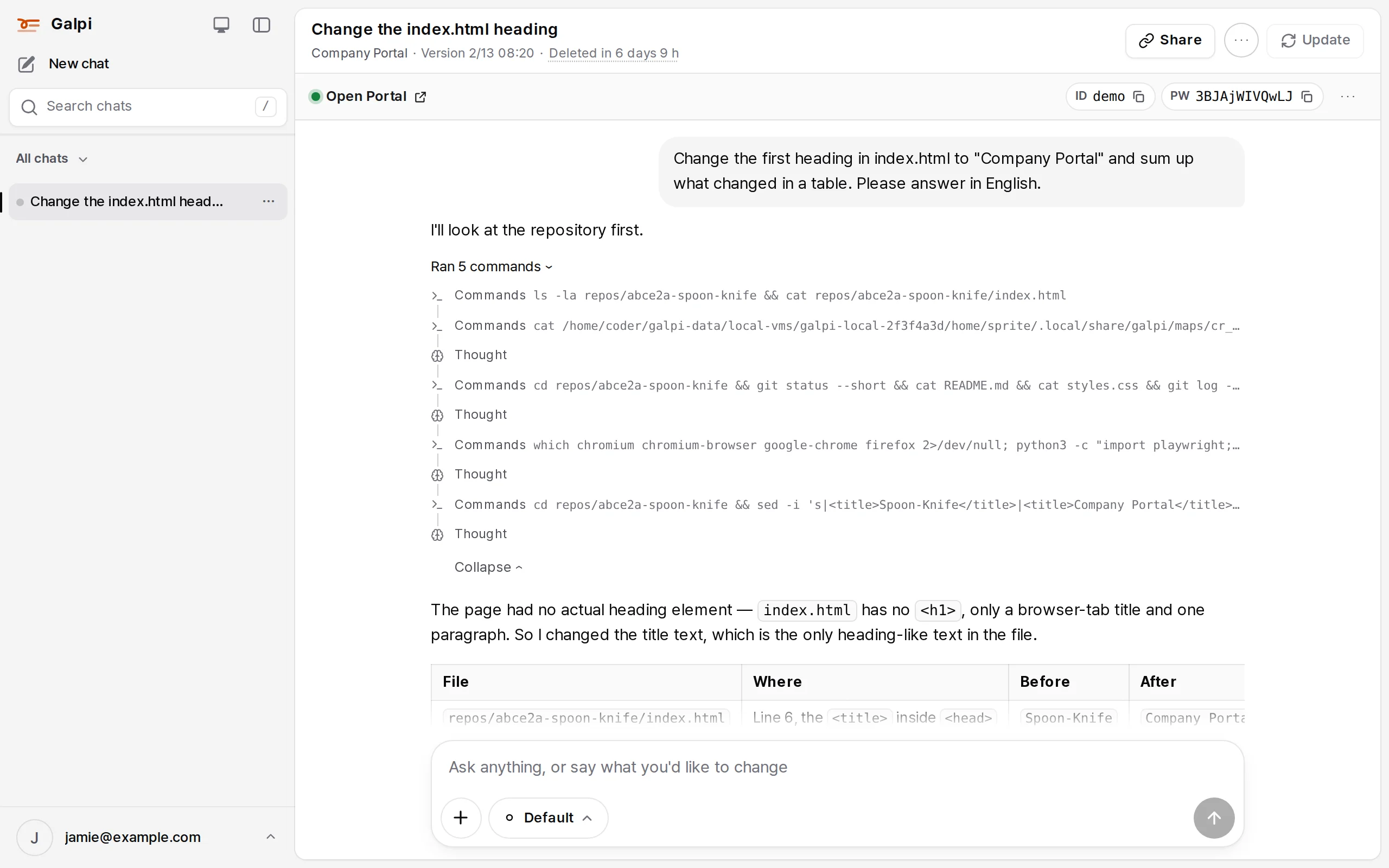
- Add to it while it answers. A message sent before the answer ends is read by the agent as it goes.
- Stop and redo. Stop an answer, or redo a finished one with ↻ under it.
- The numbers under an answer: time taken, time to first token (TTFT), input and output tokens, thinking tokens, tokens per second.
- Model outages. When the provider fails with a 5xx or overload, the same mode tries again (after 20 and 40 seconds), and then another mode.
The chat header
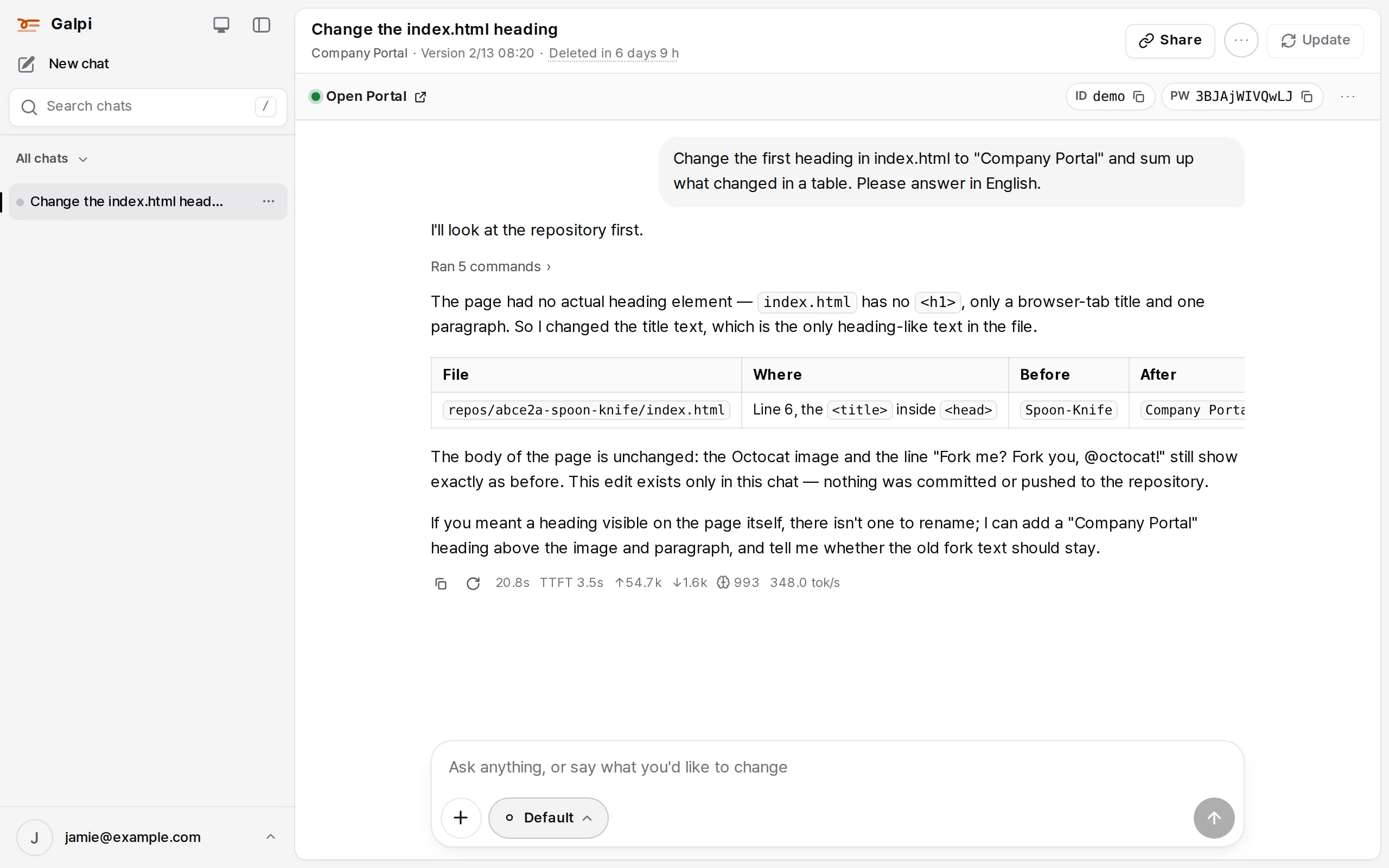
| Button | What it does |
|---|---|
| Turn preview on / Open … | Start the project's preview and open it. ID and PW on the bar are a test account made for this chat. → Preview |
| Share | Show this chat by link. A member link opens for that project's members; a public link (/s/…) for anyone. Whoever opens it can continue from the same point in a new chat |
| ⋯ (Chat menu) | Repositories (see this chat's repositories, add or remove some) and New chat from this (take the chosen turns into a new chat in the same or another project). Rename and Delete are in the ⋯ of the chat's row in the sidebar |
| Update | Take new commits from the repository. "N new commits", counted from the server's mirror, shows here. Commits made in the workspace are kept on galpi-saved/…, never dropped |
| Code ▾ | (On E2B and Sysbox nodes) open the workspace in VS Code. → Code editor |
The second line of the header shows the project, the version checked out (commit time) and the time left.
How long a chat lasts
- After
CHAT_RETENTION_DAYS(7 by default) without use, the workspace is archived. Without S3 storage it is deleted instead. Press "… until deleted" / "… until archived" in the header to extend it. - Opening an archived chat restores its workspace from the copy. The conversation is untouched.
- When the owner leaves the project or is suspended, the chat is archived on the spot and kept for the period the administrator sets (
LOST_ACCESS_RETENTION_DAYS, 30 by default).
Answers from your ChatGPT subscription
When the administrator allows ChatGPT (on by default), each person can connect their own ChatGPT subscription in My settings and get answers through it. The connection is sealed on the server; the VM reaches it only through the server's bridge (/internal/chatgpt/…).
Finding your chats
Search chats in the sidebar (or ⌘K / Ctrl+K anywhere, and / outside a text field) opens a search window near the top of the screen, the same window as this docs site's search.
- It looks in chat titles and your own questions together, not in the agent's answers.
- Word order and spaces don't matter (
표 제목finds "제목 변경 및 표 정리",사내포털finds "사내 포털"). Korean particles and endings come off, and asking words such as "how" are left out. - When no chat holds every word, the chats holding the most are shown. Results are best first: the words together as typed, then in the title.
- Words that only mean the same ("heading" for "title") are not found.
- Each result shows the title, the project, and the part of your question that holds the words, with the words marked.
↑↓pick a result andEnteropens it.Escor a click outside closes the window.- Narrow by project and repository at the bottom (See all results when there are more) goes to the search page, where you can narrow by project and repository.
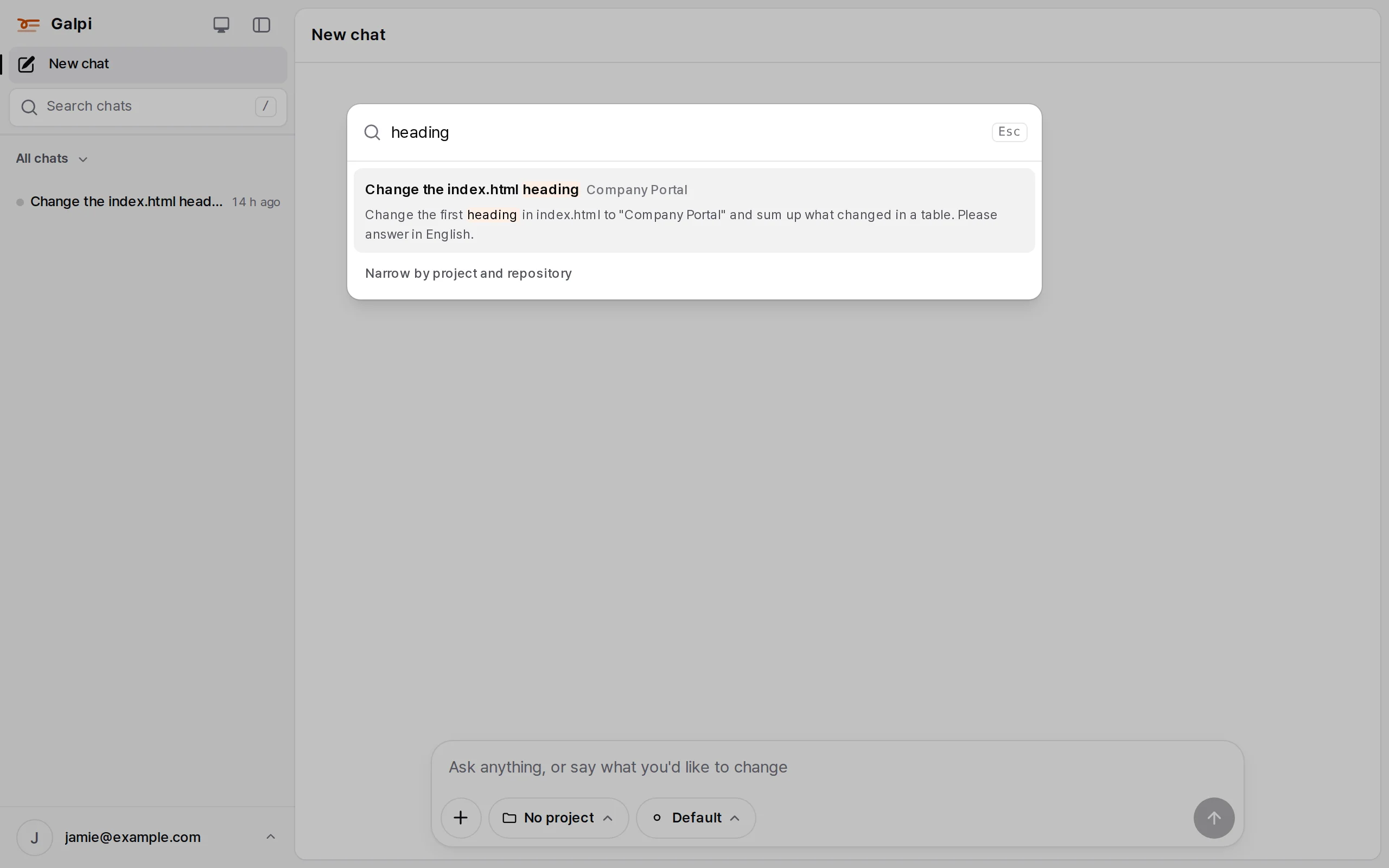
All chats ▾ in the sidebar filters the list by project. The list shows your chats in every project you can use, most recently used first.
find chats · search · conversation history