Galpi
Operations
The system admin area, sign-in and OIDC, budgets, backup and restore, upgrades, maintenance mode, administrator recovery and the database.
System admin
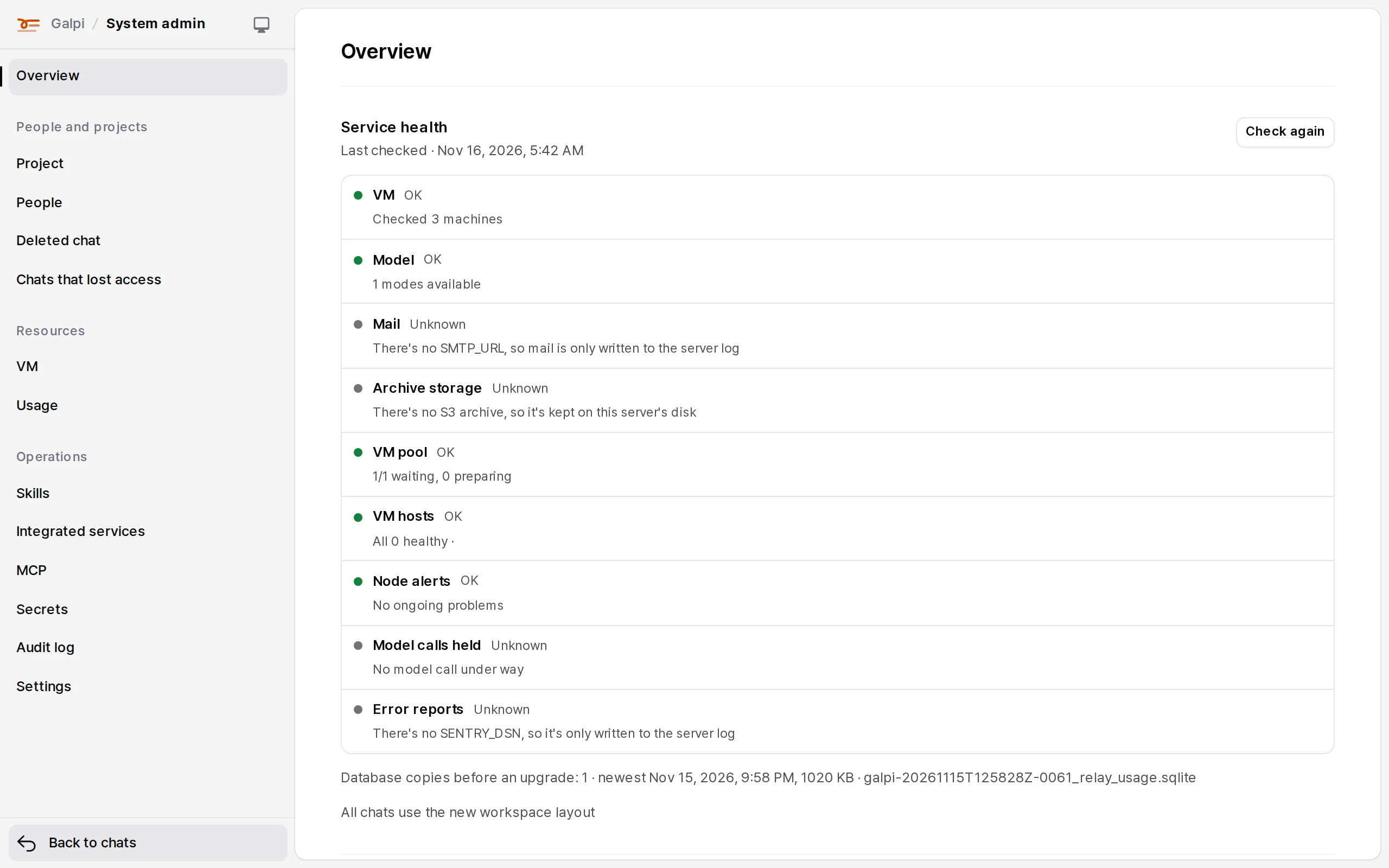
System admin in the account menu is an area of its own ("Galpi / System admin"). Its list is grouped like this.
| Group | Items |
|---|---|
| Overview (service status: VMs, model, mail, storage, VM pool, node alerts, error reporting) | |
| People and projects | Projects, People, Deleted chats, Chats that lost access |
| Resources | VMs (or Nodes), Usage |
| Operations | Skills, Integrated services, MCP, Secrets, Audit log, Settings |
Sign-in: email codes and OIDC
People have no passwords. LOGIN_METHODS is email (default), oidc, or email,oidc.
- Email code: a six-digit code and a link in the same mail. Opening the link signs no one in; it shows who asked (browser, OS, IP, time) and asks "Yes, sign me in". Without
SMTP_URL, mail goes to the server log. - OIDC (company account): set
OIDC_ISSUER,OIDC_CLIENT_IDandOIDC_CLIENT_SECRET. The callback is<PUBLIC_URL>/api/auth/oidc/callback. Only addresses withemail_verified: trueare accepted.
| Setting | Meaning |
|---|---|
OIDC_SCOPES |
Default openid email profile; add a groups scope if needed |
OIDC_LABEL |
The button's name. Empty: "Sign in with your company account" |
OIDC_ALLOWED_DOMAINS |
Email domains to accept |
OIDC_PROVISION |
auto: create the account on first visit. invite: invited people and existing accounts only |
Sessions last while used and end after 30 idle days. To remove someone at once, suspend them in System admin → People.
Administrators
ADMIN_EMAILS (comma-separated) become system administrators at every start. In the app, add them in System admin → Settings → System administrators.
When every administrator is locked out (mail doesn't arrive, OIDC broke, accounts suspended), run the recovery command on the server. It prints a sign-in link usable once within an hour.
docker compose exec galpi galpi-recover admin@example.com
Budgets
Limits per project and per person for a day, a week or a month. Off by default; turn them on in System admin → Settings → Budgets.
| Item | Counted as |
|---|---|
| Tokens | input + output (reasoning included) + cache writes + a tenth of cache reads; the larger of OpenCode's count and the model relay's |
| VM CPU | hours on × vCPUs |
| VM memory | hours on × memory |
| Storage | files held now (attachments, shares, archives) |
At the warning ratio people are told; at the limit new questions are refused. Reaching it mid-answer makes the relay refuse the next model call, and the answer ends there. Periods are in UTC.
Each model call reserves what it may use when it starts. When usage is under the limit but would reach it with the reservations of other answers running in the same project, the chat shows "Waiting: other answers in this project are holding its budget" and the call is retried shortly. After five minutes of waiting the answer stops and asks to be sent again. Current reservations are under "Model calls held" in System admin → Status.
Maintenance mode
System admin → Settings → Maintenance mode applies at once. Only administrators get in; everyone else sees the notice and the API answers 503 (code: maintenance).
Backup and restore
With S3, Galpi protects its SQLite database two ways, shown and set in System admin → Settings → Database backup.
| Continuous replication (Litestream) | Full copies | |
|---|---|---|
| What | Changes uploaded about a second later | The whole database at an interval |
| Losing the server | Loses the last few seconds | Loses changes since the last copy |
| Restorable to | Any moment in the last LITESTREAM_RETENTION_HOURS (168 by default) |
The times of the copies kept |
| Kept | Snapshot every LITESTREAM_SNAPSHOT_HOURS (24) |
Latest BACKUP_KEEP (4), daily BACKUP_KEEP_DAILY (7), weekly BACKUP_KEEP_WEEKLY (4), monthly BACKUP_KEEP_MONTHLY (6) |
Both hold sealed secrets as they are, so restoring needs the same SECRETS_KEY. Chat VM archives go between the VM and S3 directly; the server only signs short-lived links. Built-in repositories (Forgejo) are uploaded to S3 by forgejo-backup.
On nodes (E2B, Sysbox), sleeping VMs are also copied off the host to S3. These copies wait in line: two at a time per node, awake VMs first, and a sleeping VM is woken only while its node keeps room for people. While someone waits for a new VM, no copy starts on that node. System admin → Settings → File storage (S3) shows "VM copies: N of M chats are current" and, per node, how many wait and why.
- A copy that has waited over 30 minutes goes first. Over 60 minutes, it shows as an incident (
copies_overdue) and in service health. - The wait is kept in server memory only, so it starts again from zero when the server restarts.
Retained deletions
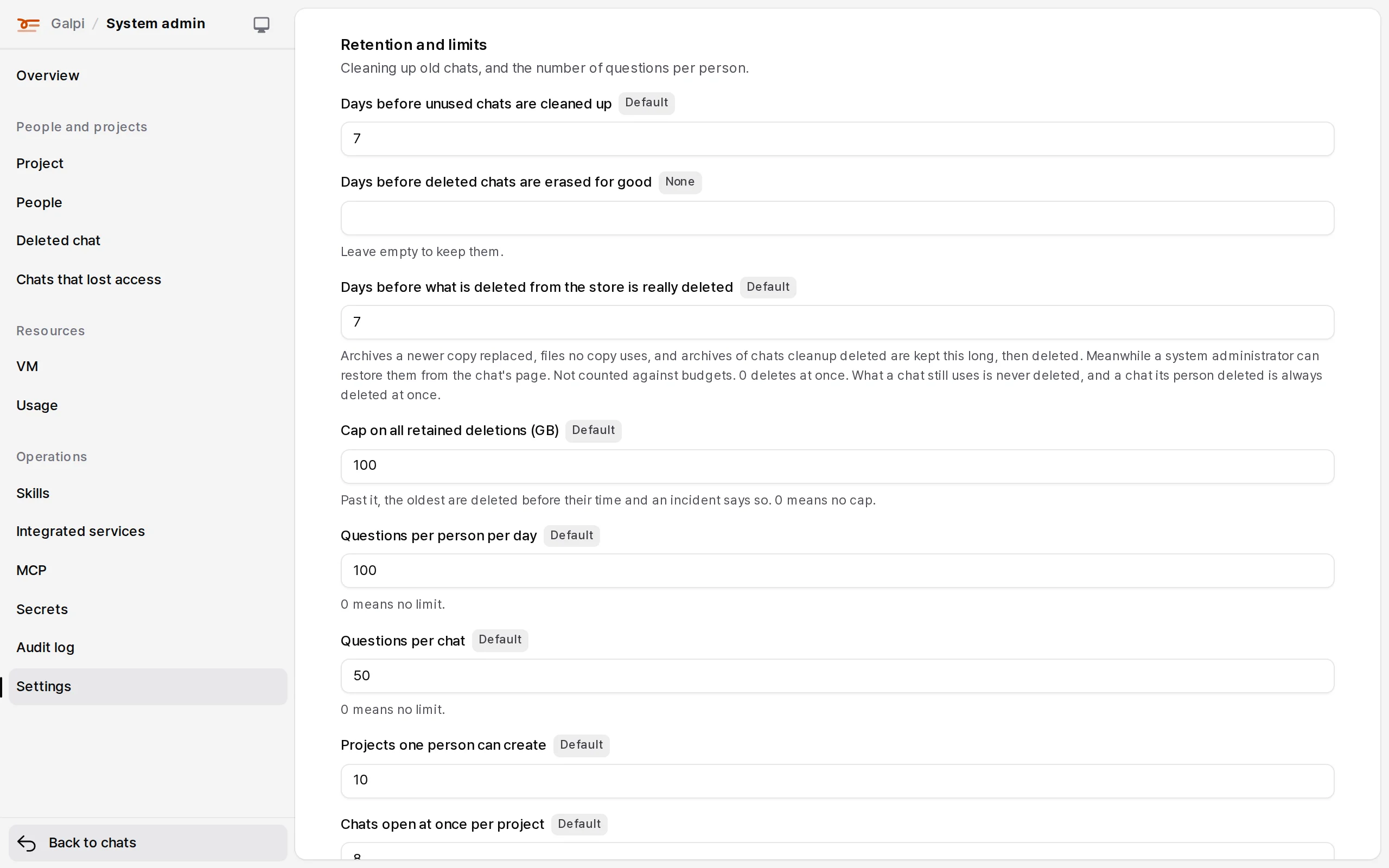
What Galpi decides to delete from the store isn't deleted at once: it is kept for a set number of days (7 by default) and removed by the hourly cleanup after that. That covers older archives a newer copy replaced, files/ objects no copy uses, and archives of chats the cleanup deleted. A chat its person deleted is always deleted at once.
Change the period and the cap in System admin → Settings → Retention and limits: "Days before what is deleted from the store is really deleted" and "Cap on all retained deletions (GB)". The environment variables RETAINED_DELETION_DAYS and RETAINED_DELETION_MAX_GB set them too; a value saved on the screen wins over the environment. After saving, the field is marked "Applies after a restart"; apply it with Restart the server on the same screen.
- Meanwhile a system administrator can, from a chat's admin view, Restore from this copy (the chat comes back from that copy at its next question) or Keep it (not deleted until let go).
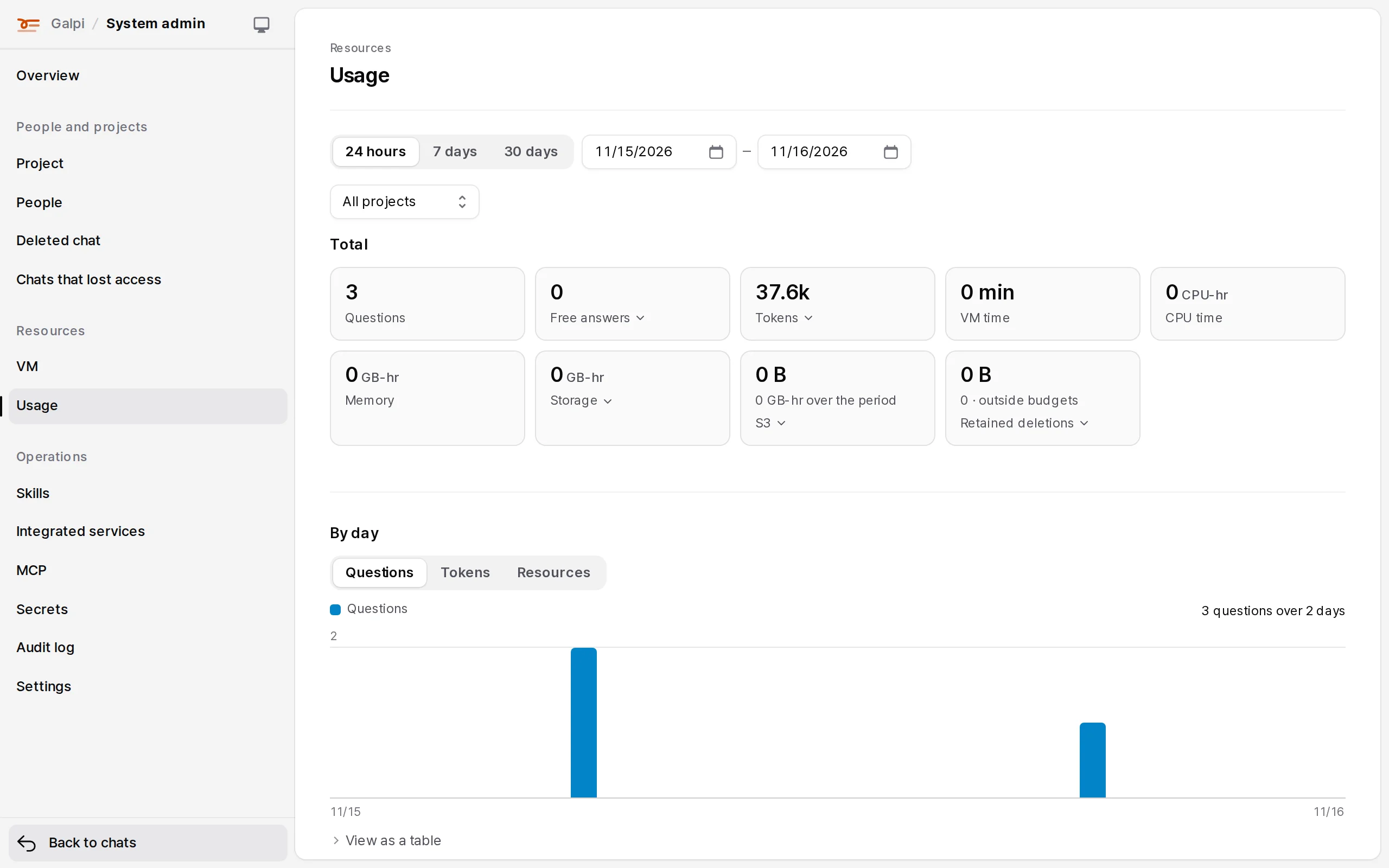
- Retained deletions count against no budget and are shown on their own as "Retained deletions" in System admin → Usage. Size the store with a week of changes on top.
- When everything retained passes the cap (100 GB by default), the oldest go early and an incident (
retained_capped) says so. A period of0deletes at once; a cap of0means no cap. - Whatever the values, nothing a chat still uses (its current archive and the files it names) is deleted.
Upgrades
cd <galpi repository> && git pull          # node software (node-kit/) comes along
deploy/build.sh && cd deploy && docker compose up -d --build
CI builds and checks the images but publishes them nowhere. To run images built elsewhere, the builder packs them from a clean, committed checkout with deploy/offline-images.sh --out galpi-images.tar (the images in one file) or deploy/package-release.sh <output folder> (images, runtime bundles and checksums together). On the receiving server:
docker load -i galpi-images.tar      # prints the loaded image names
# set GALPI_IMAGE and FORGEJO_BACKUP_IMAGE in deploy/.env to those names
cd deploy && docker compose up -d    # from a company registry, docker compose pull first
To pin a version, build with a version tag (GALPI_IMAGE=galpi:1.2.3 deploy/build.sh) and use that tag; rolling back is changing the tag.
- Database migrations run as Galpi starts. With SQLite it first copies the database to
DATA_DIR/pre-migration/(the last three are kept). - Node software is upgraded per node in System admin → Nodes.
- Restart in the app exits with code 75 and the container's restart policy starts it again.
Database
Without DATABASE_URL, Galpi uses SQLite in DATA_DIR and replicates it with Litestream when S3 is set. With a PostgreSQL URL the SQLite backups switch off and you back up PostgreSQL your way. PostgreSQL is recommended for large installs (thousands of people). The move from SQLite is described in the Galpi repository's docs/database.md.
# PostgreSQL: a dedicated database and user per install, the URL as a secret
DATABASE_URL=postgresql://galpi:…@db:5432/galpi
- Run one Galpi server process per database. At start the server takes a lock in the database; if another Galpi server is alive it waits about 30 seconds and then refuses to start. A dead server's lock is taken over within about 30 seconds.
DATABASE_URLmust connect to PostgreSQL directly or through a session-mode pooler. A transaction-mode pooler (PgBouncerpool_mode = transactionand the like) can't hold the lock; Galpi detects it at start and refuses to start.- Galpi's PostgreSQL user needn't be a superuser; owning its database is enough.
lost admin access · admin recovery · cannot sign in · password · forgot password · locked out