Golden Image
About Golden Image
Golden Image is the base Mothership apps are built from. It holds the React app template and SDKs, Python and Node workers, the checker, and a document review example app.
What it is
The starting point of a repository that builds one Mothership app. One repository is one app, and by default it is frontend-only. Upload the ZIP make build produces to Mothership and it's an app; nothing to host.
- Frontend: a React app, with
entry.tskeeping the host'smount/unmountcontract, a UI kit that takes design tokens (src/ui/) and the Pretendard font, so the same build runs on closed networks. - SDKs:
@mothership/sdk-coreandsdk-reactfor data, state, files, AI, knowledge, Runtime, connectors and jobs, plus the contract schema (agent-contracts). Contract1.2.0. - Backend (optional): a Python (FastAPI) or Node (TypeScript) worker, only when really needed.
- Checker: schema validation, Mothership's registration rules and the frontend/backend pairing check (
scripts/check.py). - Profiles and base updates: create new apps from pinned profiles, and update SDKs and build tools while keeping what app authors changed.
The rule: frontend-only whenever possible
What the Mothership gateway already provides completes most apps. A backend is justified only for:
- Wrapping an external API not available as a registered MCP connector (CSP blocks direct
fetchfrom the browser) - Server-side integrations that need secret keys
- Heavy computation a browser can't do
- A standalone service offering shared capabilities or data to several apps (
parts: ["backend"])
The default app: Document Review
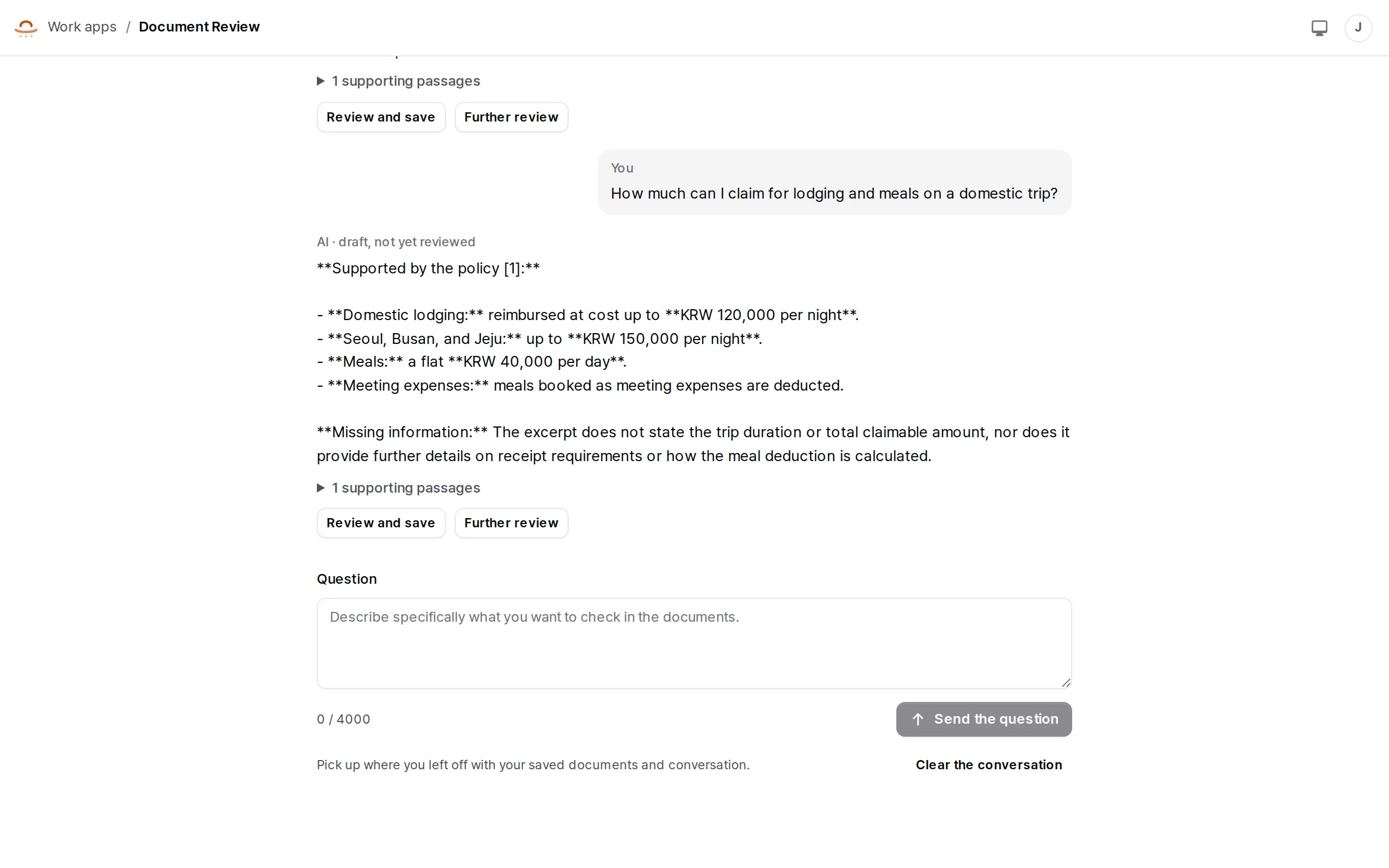
The bundled Document Review Workspace is a complete frontend-only workflow.
- Upload a private document and queue its extraction. Queued, processing, ready, failed and cancelled states are kept.
- Select ready documents and ask. Search is filtered to those documents before ranking, and the answer comes with citations. No evidence, no answer.
- Inspect the citations, edit the draft, confirm it, and save a schema-validated
reviewsrecord. - Export the approved content and its sources as a text file, or continue with the
document-reviewRuntime profile. - Reopen earlier runs, and resume a pending question or consent.
Next
app template · starter · SDK · build an app