Golden Image
Quick start
Prepare dependencies, build, check and test, preview locally, and upload the ZIP to Mothership.
What you need
- Node.js 22.13 or newer (the same as a Mothership development setup)
- Python 3.11 or newer with
venv/pip - GNU Make
Choose parts in project.json first, and run make setup again after changing it so newly enabled worker dependencies are installed.
Build
make setup      # .env and the pre-shared key (with a backend), npm ci, backend venv
make build      # build the active parts, then schema, registration and pairing checks
make test
Run make setup once even for frontend-only builds: make build and make check need jsonschema.
A finished build says:
Check OK — parts=['frontend'] (my-project)
To register: upload frontend/dist/<release>.zip as a candidate in catalog management, then apply it to shared validation or production from the app's Versions & environments tab.
Upload to Mothership
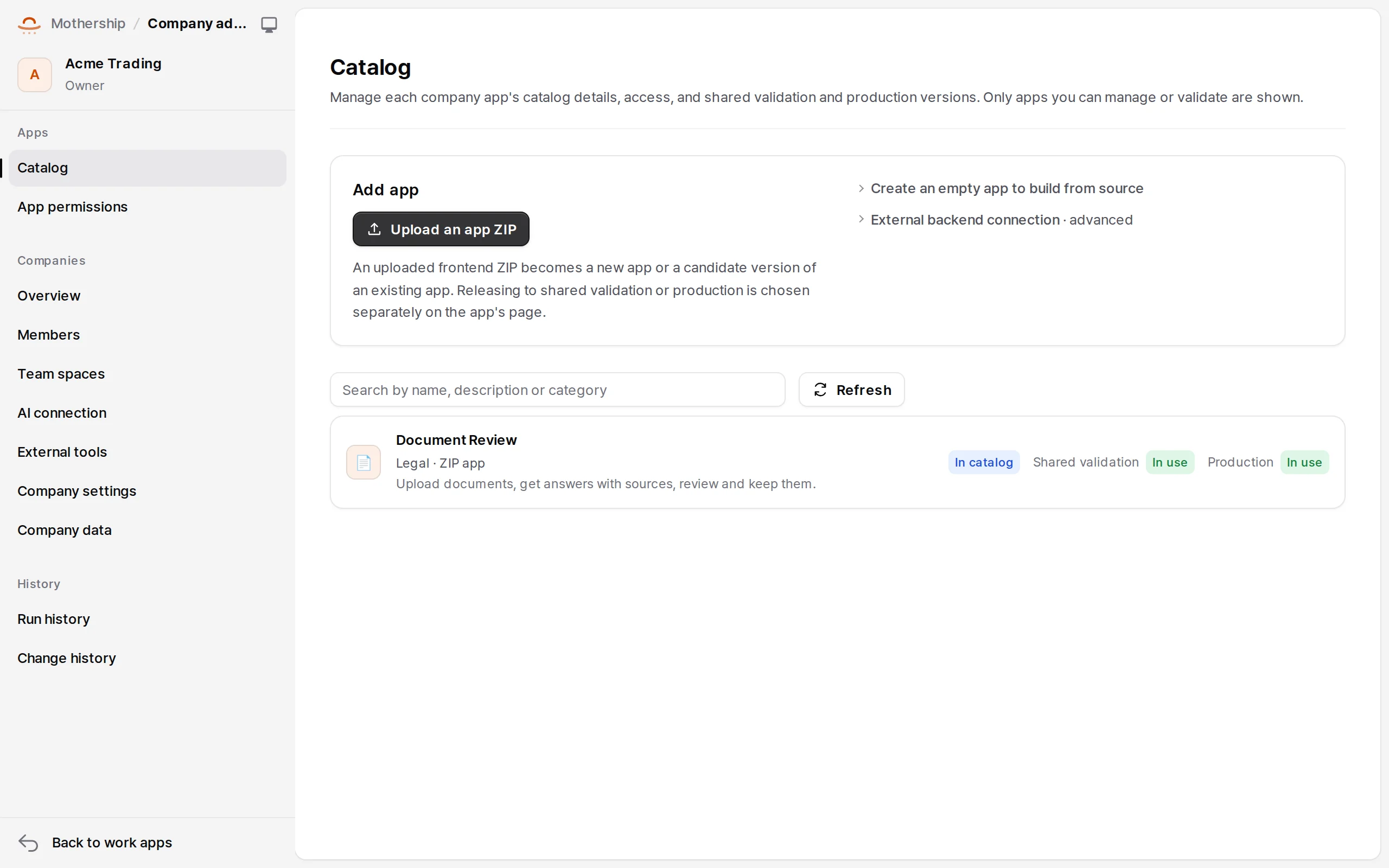
Upload frontend/dist/<release>.zip in the company's Work apps → Catalog → Add app. The upload only creates a candidate version; shared validation and production are applied separately in the app's Versions & environments tab. → Mothership: shipping apps
Local preview
make serve        # the built frontend, locally
make preview      # bound to localhost only; no public tunnel
bash scripts/preview.sh --host <internal-host>   # expose a backend at an address Mothership reaches
bash scripts/preview.sh --tunnel                 # only when you choose a public temporary tunnel (cloudflared)
- A local preview URL isn't a Mothership preview.
- With a backend,
.preview/registration.json(owner-only) gets the backend URL and signing secret. Keep it private.
Checking the three baseline configurations
All three can be checked without editing project.json. They share build outputs, so run them one after another.
MOTHERSHIP_PROJECT_FILE=scripts/fixtures/projects/frontend-only.json make build check test
MOTHERSHIP_PROJECT_FILE=scripts/fixtures/projects/python.json make build check test
MOTHERSHIP_PROJECT_FILE=scripts/fixtures/projects/node.json make build check test
scripts/fixtures/review_provider.py is a deterministic, localhost-only AI fixture (port 8777). Install the app on a disposable Mothership database and drive upload, search, cited answers, review, export and recovery with scripts/browser-review.mjs (Playwright). Never use it as a production provider.