Mothership
Shipping apps
Upload a built ZIP as a candidate version, review it in shared validation, release only approved candidates to production and publish them in the catalog.
The flow
The whole flow works without Galpi. With Galpi connected, Mothership builds the source Galpi sends into candidates (this needs a source build executor). → Connecting the products
1. Add the app
Drop the dist/<release>.zip Golden Image built onto Work apps → Catalog → Add app. It becomes a new app, or a new candidate version of the same app. Mothership checks the manifest schema, the agents.sha256 evidence, safe asset paths and that the entry file matches release.artifact_hash, then stores and serves the assets itself. Nothing to host.
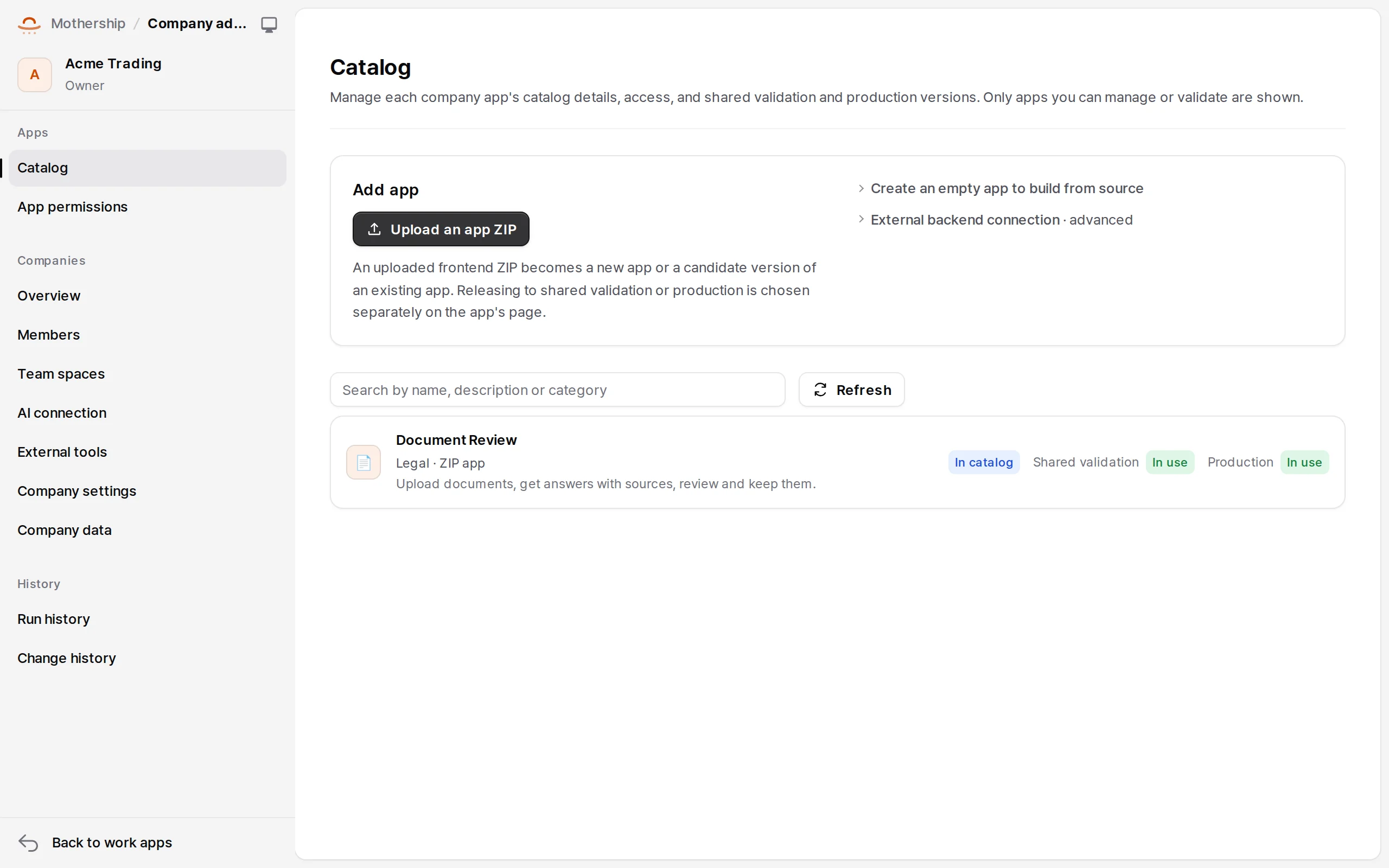
An uploaded ZIP is an immutable candidate. Shared validation and production change only through the steps below.
- Create an empty app to build from source: on a Mothership with a source build runner, for versions built from a connected Galpi project.
- External backend connection · advanced: connect a backend worker (Python/Node) by URL and pre-shared signing key. Registration checks the key with
/healthand/v1/handshakebefore publishing. Registering a frontend by URL is not supported (frontend_url_unsupported).
2. Versions and environments
An app has the tabs Overview, Catalog details, Access, Versions & environments, Secrets, Preview.
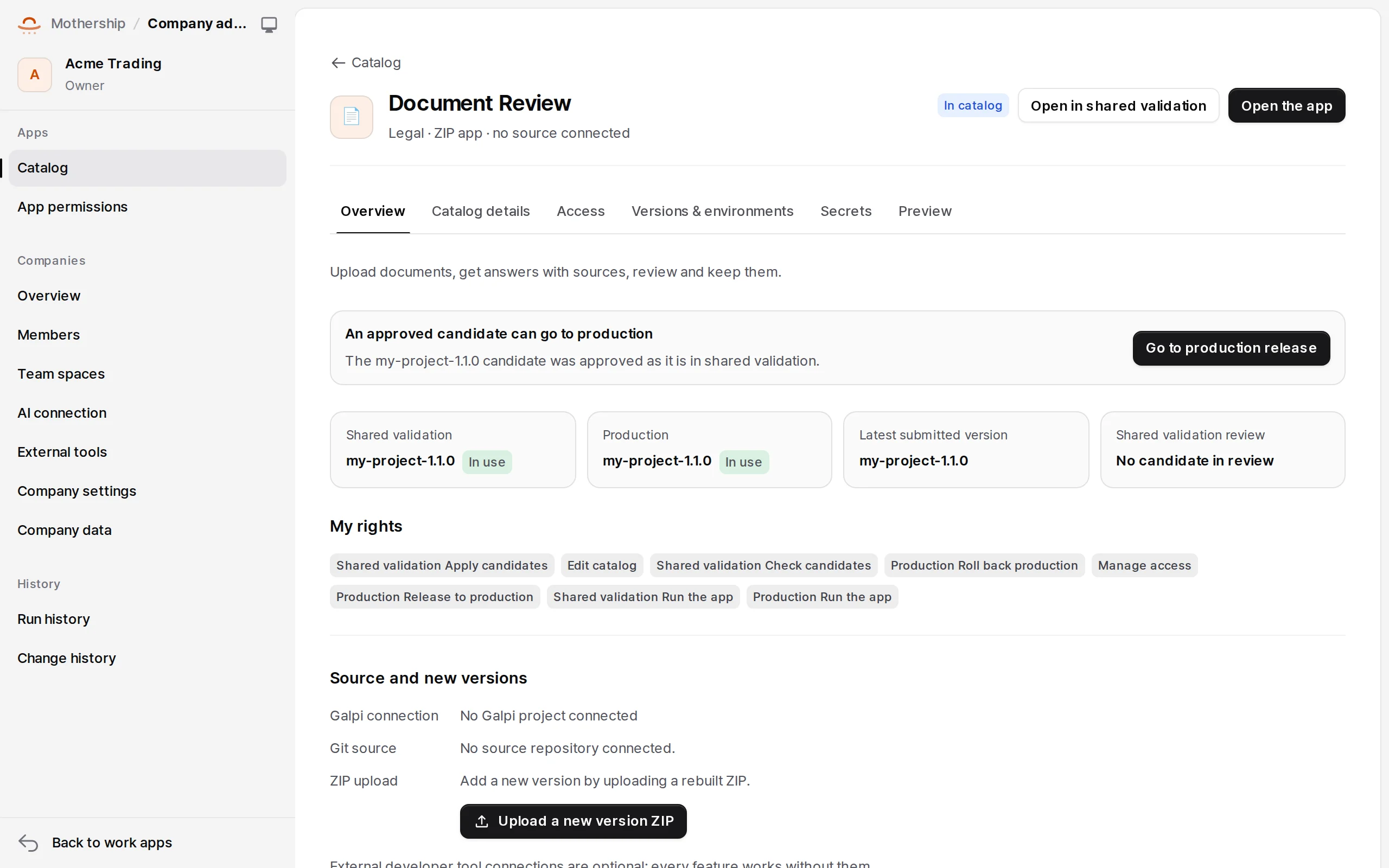
- Submit as a review candidate — pick the version and note what changed (reviewers see it). The access this version asks for (data, platform features) is shown alongside.
- Send to shared validation — when its turn comes. Shared validation holds one candidate at a time; the next can't replace it until the current review is closed. When ready, Open in shared validation and try it.
- Review decision — reviewers record Approve · fine to release to production or Request changes · needs another review after fixing, with a note. A decision applies only to what is in shared validation right now.
- Release to production — confirm the approved candidate and whether production app settings change too. Releases are queued and wait for running work to finish; stored work data is never rolled back.
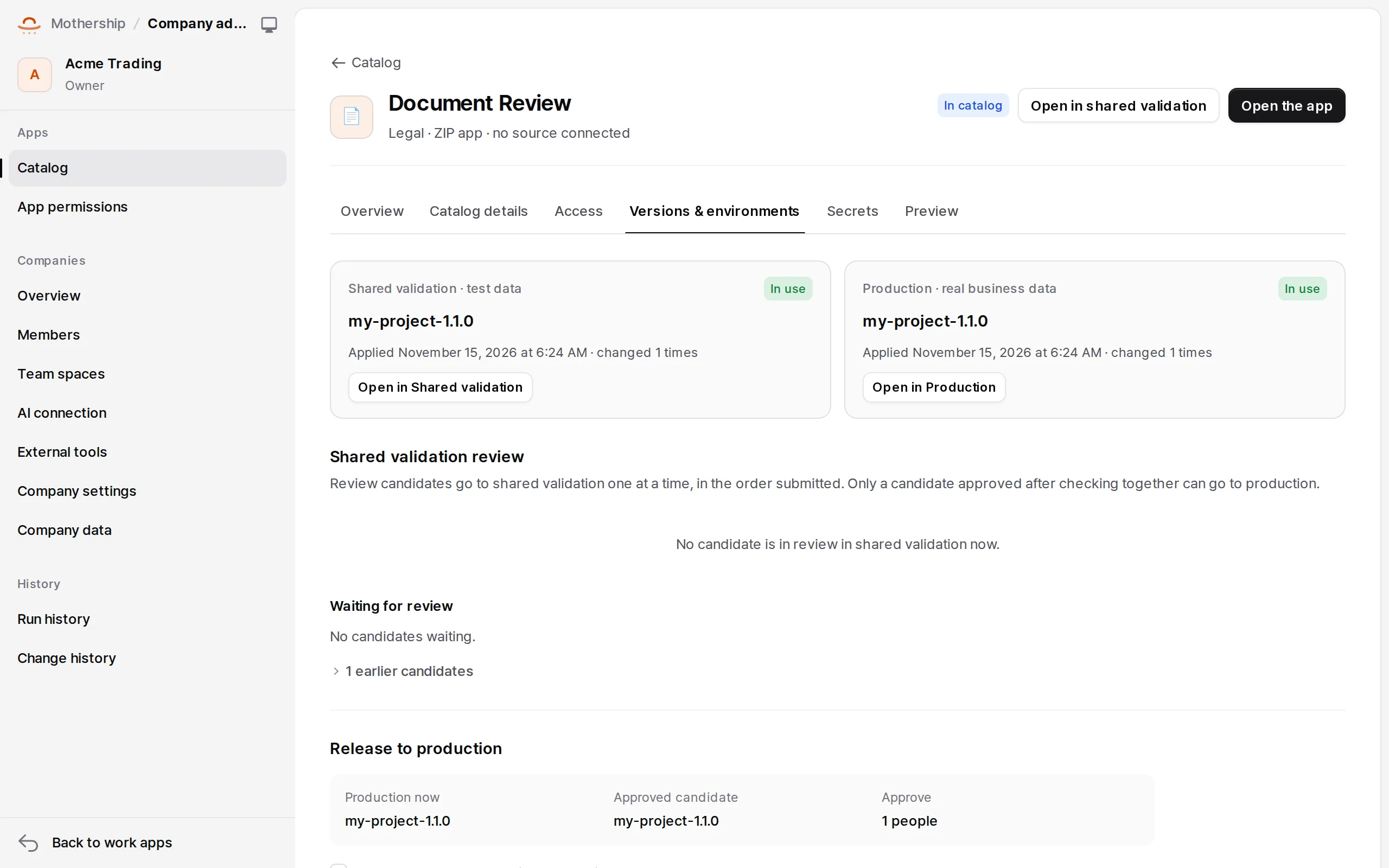
- Rolling back: request it explicitly with Roll production back to an earlier version. A different storage schema signature blocks automatic rollback, and data migrations are never guessed backwards.
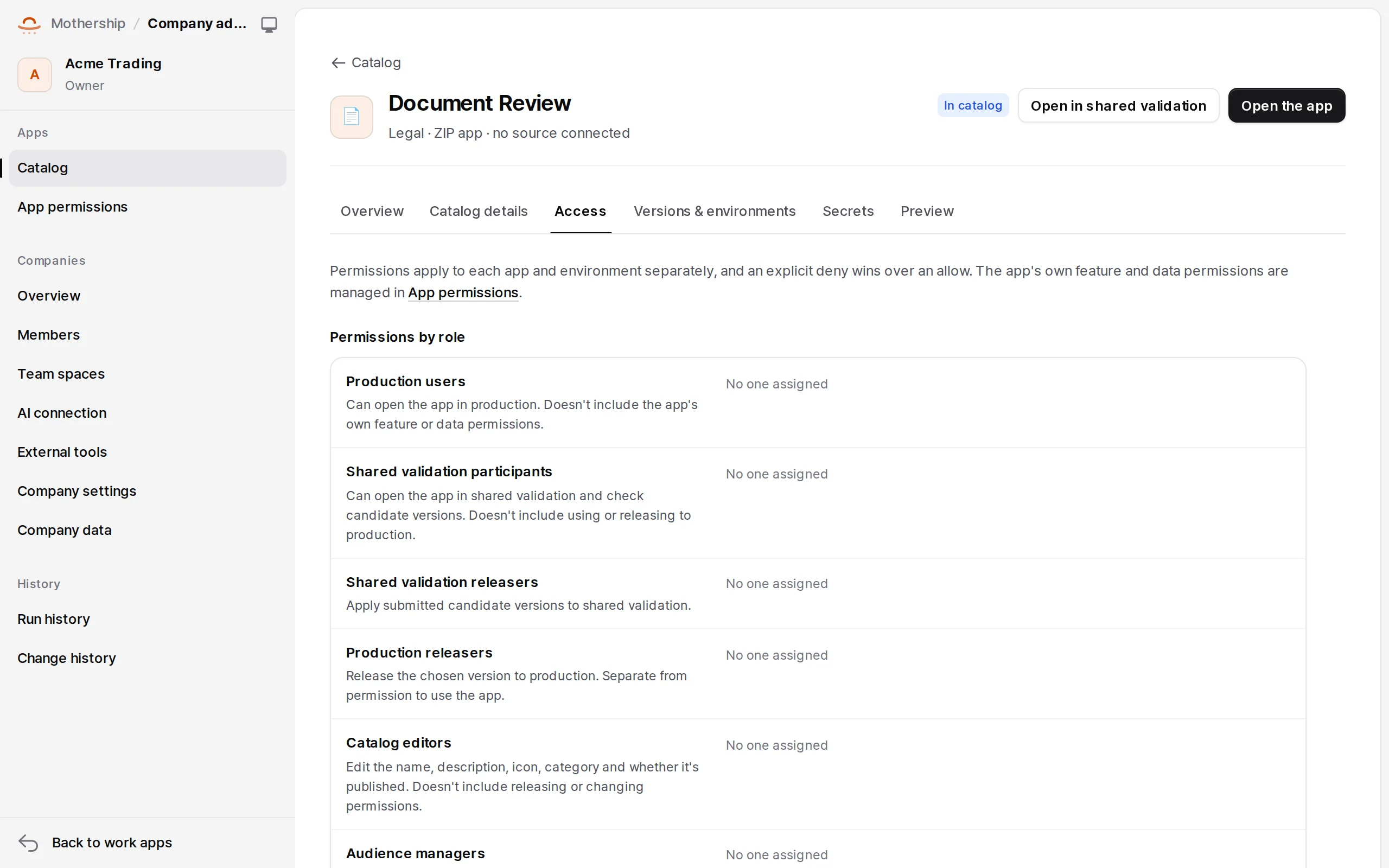
- Reviewers can be plain members given the app's
candidate.reviewand shared validation'senvironment.run.
3. Publish in the catalog
In Catalog details, set the name, description, icon and category employees see, and turn on Publish in the production catalog. Publishing only controls whether the app is listed; unpublishing doesn't stop it.
Access and secrets
- Access: who may open the app (members, team spaces) and the claims it declares.
- Secrets: secrets the app needs, per environment. Keep them out of the app's settings JSON, which app code can read.
Preview and environment isolation
The Preview tab makes short-lived environments with a server-issued pv_ key, recording TTL, owner and audience; they open in a new Mothership tab. Records, files, knowledge, jobs and runs of shared validation, preview and production are separate environment scopes. Connectors in shared validation and preview never fall back to production secrets; connect them per environment.