Galpi
Preview
Open the app a chat changed in your browser. How it starts is written in the repository's .galpi/preview.yml or in the project settings.
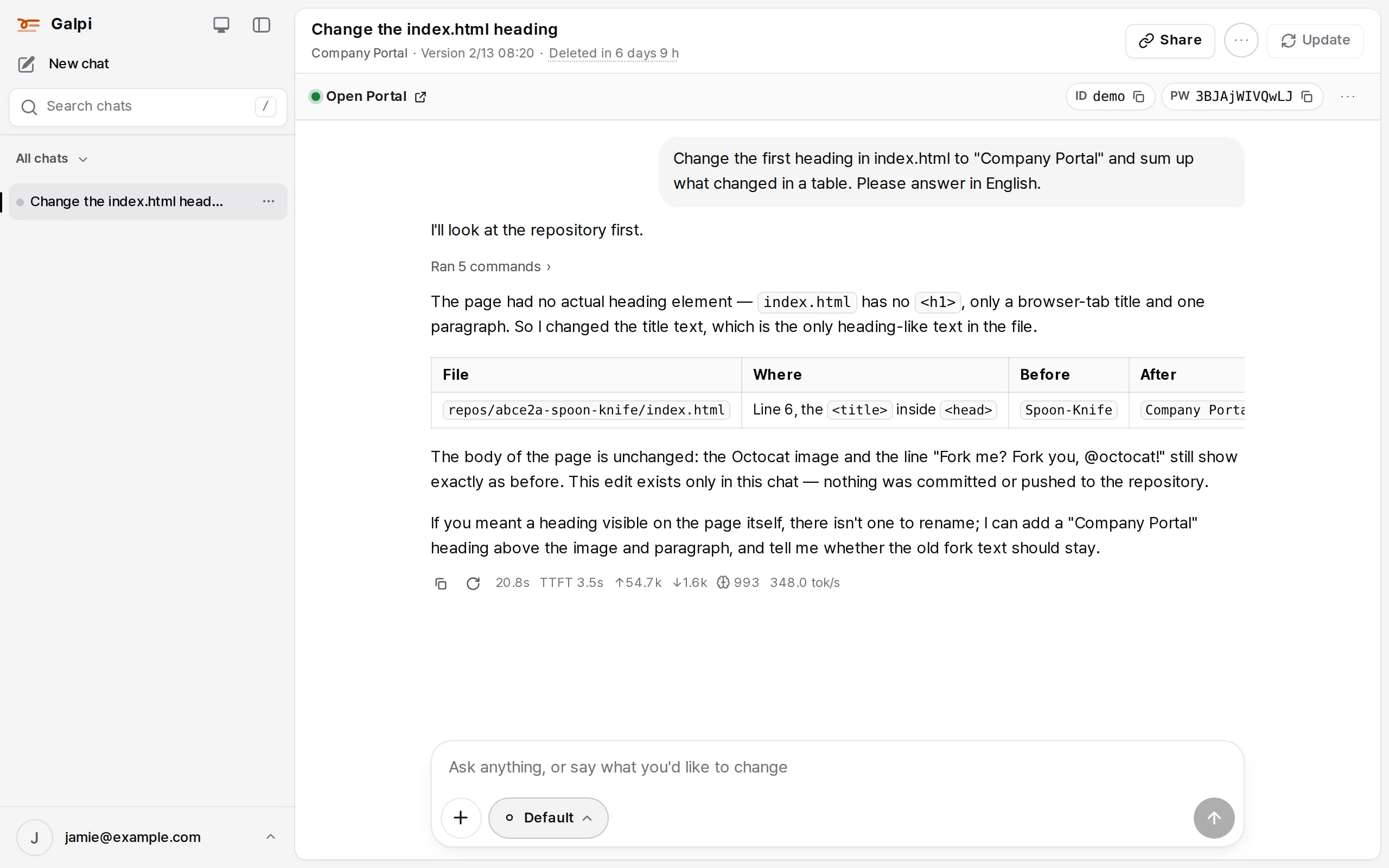
Telling Galpi how to start your app
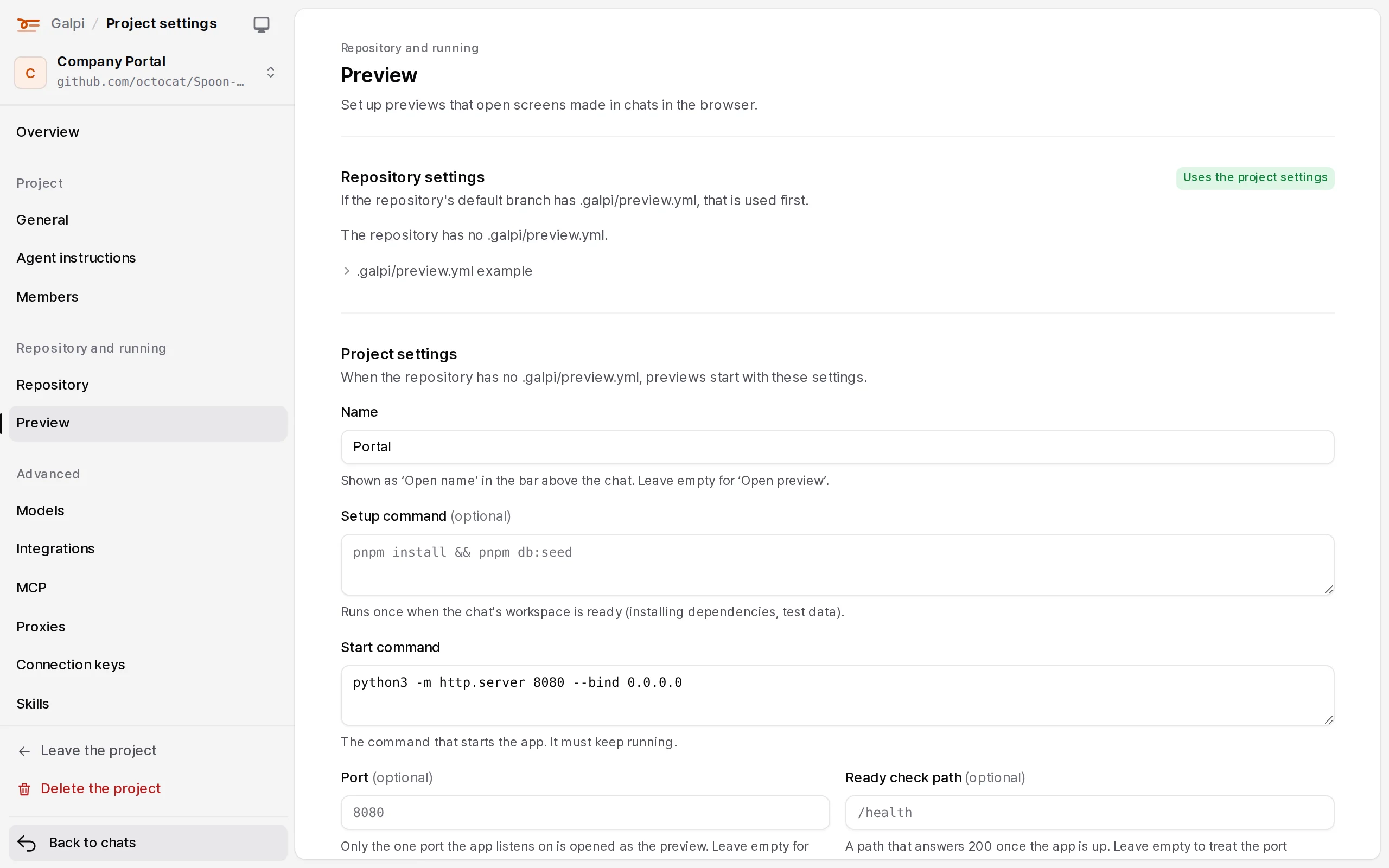
Every app starts differently, so write it in .galpi/preview.yml in the repository. When the default branch has the file it wins; otherwise the same fields in Project settings → Preview are used.
label: Admin                 # the bar says "Open Admin"; without it, "Open preview"
setup: npm ci                # once when the chat is ready (optional)
start: npm run dev -- --host 0.0.0.0 --port 8080
port: 8080                   # the one port the VM opens to people. Empty: 8080
ready: /healthz              # up when this path answers (optional)
login: { user: demo, password: generate }   # sign-in shown on the bar (optional)
show:                        # more values on the bar (optional, up to six)
  - { label: Admin key, value: generate, env: ADMIN_KEY }   # made per chat, the same after a restart
  - { label: Tenant, value: acme }
  - { label: Sign-in code, value: generate, digits: 6, env: LOGIN_CODE }
restart_after_pull: true     # restart after taking a new version
env: { NODE_ENV: development }
The app receives PORT, HOST, GALPI_PREVIEW_USER, GALPI_PREVIEW_PASSWORD, the variables named by env under show:, and the variables of proxies with "for the preview app too". No other secrets.
Keeping preview data with the chat
To put data the preview made (a test database, uploaded files) into the chat's copy, add archive:. The data follows the chat when it moves to another node. Ordinary sleep and wake keep the whole VM and don't need this.
archive:
  keep: [.env.local, uploads]     # files copied as they are
  watch: [data/dev.db]            # a change here means new data: copy again
  pack: |                         # leave data in $GALPI_ARCHIVE_DIR (run in the repository folder)
    if [ -f data/dev.db ]; then sqlite3 data/dev.db ".backup '$GALPI_ARCHIVE_DIR/dev.db'"; fi
  unpack: |                       # put it back on a new VM (before the preview starts)
    if [ -f "$GALPI_ARCHIVE_DIR/dev.db" ]; then mkdir -p data && cp "$GALPI_ARCHIVE_DIR/dev.db" data/; fi
For Postgres use pg_dump -Fc app > "$GALPI_ARCHIVE_DIR/db.dump" and pg_restore --clean -d app "$GALPI_ARCHIVE_DIR/db.dump".
Who can see it
Whoever made the chat picks, link by link (the preview and any extra ports). The default is Project members.
| Setting | Who can open it |
|---|---|
| Only me | The chat's owner |
| Project members | People who can use the project (not external users) |
| Signed-in people | Anyone signed in to Galpi (not external users) |
| Anyone with the link | No sign-in |
- Project owners set the widest setting allowed in their project; administrators can turn wide settings off.
- Links are listed in the chat's Links, in Preview links in the account menu, in Project settings → Preview, and in System admin → Preview links. Other people's links can only be narrowed or closed.
- Nodes open nothing without a token Galpi signed; narrowing a link invalidates earlier tokens at once. On Sprites the preview address can't be hidden, so these settings don't apply.
Preview addresses (E2B and Sysbox nodes)
- A preview is
<preview ID>.<preview domain>; an extra port is<port>-<preview ID>.<preview domain>. The preview ID belongs to the chat, so the address stays when the chat moves to another node. - Only opened ports answer: the preview and ports opened by the agent (
galpi-port open) or the chat's owner (up to five per chat). - System admin → Preview addresses chooses the way in: GeoDNS (
*.preview domainto the nearest node) or a CDN (one origin name behind it). Certificates: Let's Encrypt DNS-01 (Bunny DNS, Route 53, a webhook), HTTP-01, uploaded, a file on the nodes, or none (testing). - When a preview can't be shown, the node answers with a page: "This preview address doesn't exist" (404), "This port isn't open" (403), "The preview isn't answering right now" (502, 504).
On a local VM the preview is a real process on this computer at http://localhost:<port>/.
preview · run the app · see the change