Naru
With Galpi and Mothership
Develop packs from Galpi, and let Galpi chats and Mothership apps call Naru tools in the person's name.
Naru connects to the other products in three ways. Each is set up once by administrators, and when the other side is down the rest of Naru keeps running.
| Connection | In Naru | On the other side |
|---|---|---|
| Pack development in Galpi | (just share the address) | Galpi System admin → Integrated services gets Naru's address; a project owner uses Project settings → Services → Naru → Connect |
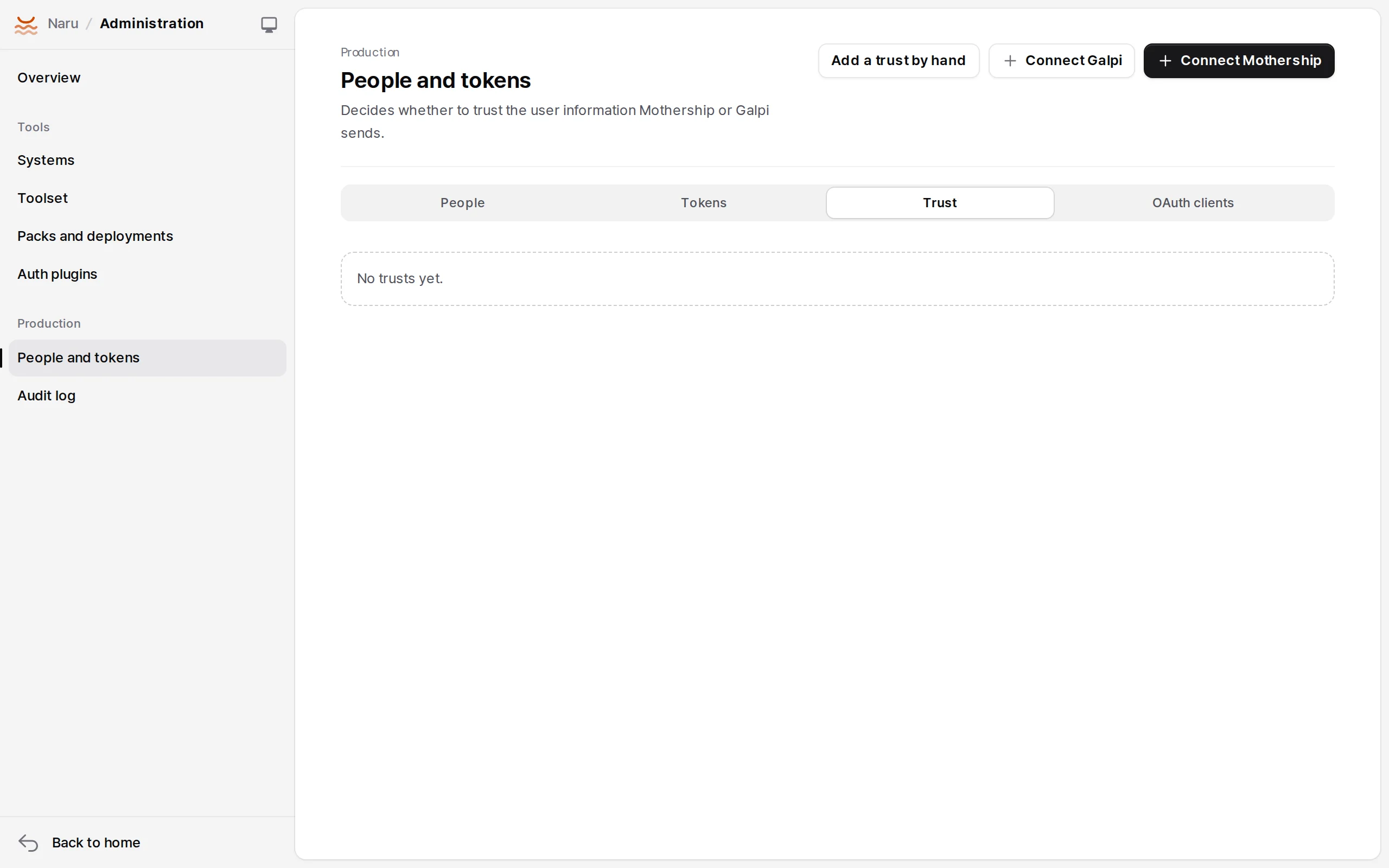
| Tools in Galpi chats | People and tokens → Trust → Connect Galpi | Galpi System admin → MCP, with Signed user identity |
| Tools in Mothership apps | People and tokens → Trust → Connect Mothership | Mothership Company admin → External tools → New connection |
Developing packs in Galpi
Naru is one of Galpi's integrated services. It serves a manifest (/.well-known/galpi-provider.json), a skill (/integrations/galpi/skill.md) and an OAuth resource (/dev/mcp); Galpi has no Naru-specific code.
- A Galpi administrator adds Naru's address in System admin → Integrated services. If Naru is on a private address, add its host to Galpi's
NET_ALLOW_HOSTS; for a company CA, paste the PEM under Certificates (optional) on the same page. - A project owner opens Project settings → Services → Naru → Connect, signs in to Naru and consents (developer or above), and picks an existing pack or enters a new pack id. The project is bound to that pack.
- Other members sign in from Naru · required · integrated service in Project settings → Advanced → MCP. Only people allowed to develop that pack can.
- Chats then get Naru's development tools (
get_context,get_guide,try_function…), Galpi'sgalpi_submit_committool and thegalpi-provider-naruskill. The agent changes the pack, tests withnaru test, submits the commit to Naru and deploys to dev.
Production deployment stays with Naru administrators. Naru's client registration (DCR) must be on (NARU_DCR not off; on by default).
Tools in Galpi chats
| Each person signs in | No sign-in (pairing) | |
|---|---|---|
| Galpi connection auth | OAuth (each member signs in to Naru) | Signed user identity: service token and signing key |
| Caller | The Naru account | The person signed in to Galpi (the chat's owner) |
| Systems available | service, onbehalf, personal |
service, onbehalf only |
High risk + approval: client |
Runs on Galpi's confirmation | Refused (approval_required) |
Pairing (no sign-in):
- Make a toolset for Galpi. Keep
maxRisk: medium(the default). - In Naru Administration → People and tokens → Trust → Connect Galpi, enter a name, Galpi's address (origin), the toolset, and optionally the email domains to allow and whether people must be linked to the company IdP.
- Naru creates the trust, a service token for that toolset only and a signing key (48 characters), and shows them with the connection address once.
- In Galpi System admin → MCP → New connection, enter the address, choose Signed user identity, and paste the service token and signing key. Turn on Required in every chat to add it everywhere.
Tools in Mothership apps
Mothership apps (frontends, Runtime, backend workers) use a Naru toolset as a company connector. Mothership sends a signed assertion of who is calling (X-Mothership-Identity, HS256, at most five minutes, aud = mcp-connector:<id>).
- Make the toolset in Naru with
approval: client(Mothership's Runtime approval). Keep a separateenv: devtoolset for non-production environments. - Open Mothership Company admin → External tools → New connection. The connection ID is shown before saving; copy it.
- In Naru Connect Mothership, choose a name and toolset, paste the connection ID and choose Make the connection. Naru creates the signing key, service token and toolset access at once and shows them once.
- A Mothership operator allows Naru's origin with
NARU_URL. - A company administrator fills Mothership's new connection: type MCP tool, the connection address, the service token as credential, user identity
assertionwith the signing key, risklow, and saves. - Sync and approve the tools to use.
- Each tool reports its own risk in
_meta["mothership/risk"]; high-risk tools run only for calls that went through Runtime approval in Mothership. - Mothership company roles arrive as
mothership:<role>, never mixed with Naru roles. - Naru finishes within the time left that Mothership sends (
_meta["mothership/deadlineMs"]).